SQL Export
This section covers how to export FeatureByte features as SQL code. SQL export requires a deployment that contains the features you want to export.
Prerequisites
Before exporting SQL, you need:
- Features created through Feature Ideation or defined manually
- A deployment containing your features
Export from SDK
Use the get_deployment_sql() method on any deployment to generate the SQL programmatically:
import featurebyte as fb

# Get your deployment
deployment = fb.Deployment.get("my_deployment")

# Generate deployment SQL
deployment_sql = deployment.get_deployment_sql()
The returned DeploymentSqlModel contains two key attributes:
feature_table_sqls: a list of SQL queries, each with its ownsql_code,feature_names, and optionalfeature_job_settingudf_registration_sqls: SQL statements for registering any required UDFs (run these first)
Depending on the number of features and their aggregation sources, the SQL may be split across multiple queries. You can iterate over them:
# Register UDFs first (if any)
for udf_sql in deployment_sql.udf_registration_sqls:
    session.execute_query(udf_sql)

# Iterate over feature table SQL queries
for feature_table_sql in deployment_sql.feature_table_sqls:
    print(f"Features: {feature_table_sql.feature_names}")
    print(feature_table_sql.sql_code)
If your deployment has many features and you want to limit the complexity of each query, use the max_features_per_query parameter:
This splits the generated SQL into smaller queries with at most 10 features each.
Export from UI
You can also generate deployment SQL through the FeatureByte UI.
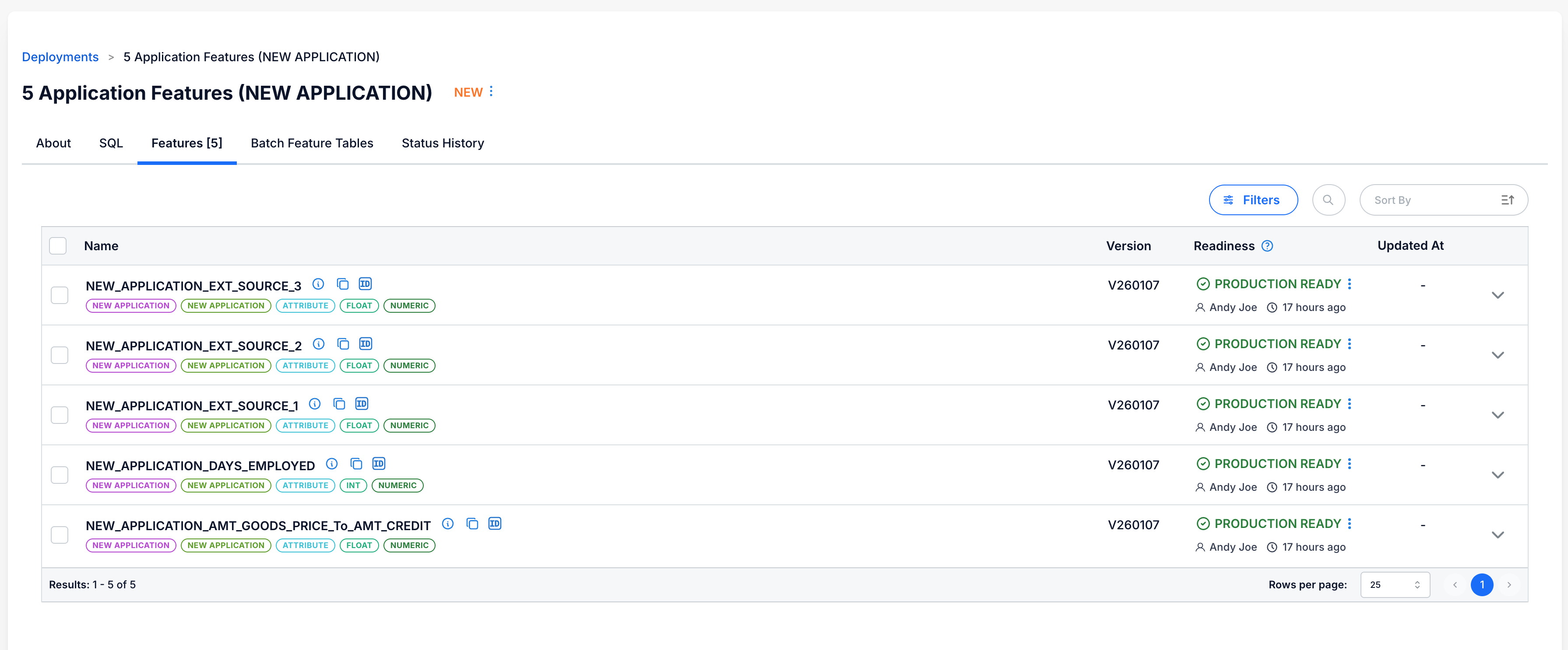
Step 1: Navigate to Your Deployment
Go to the Deployments catalog and select the deployment containing the features you want to export.
Step 2: Generate SQL
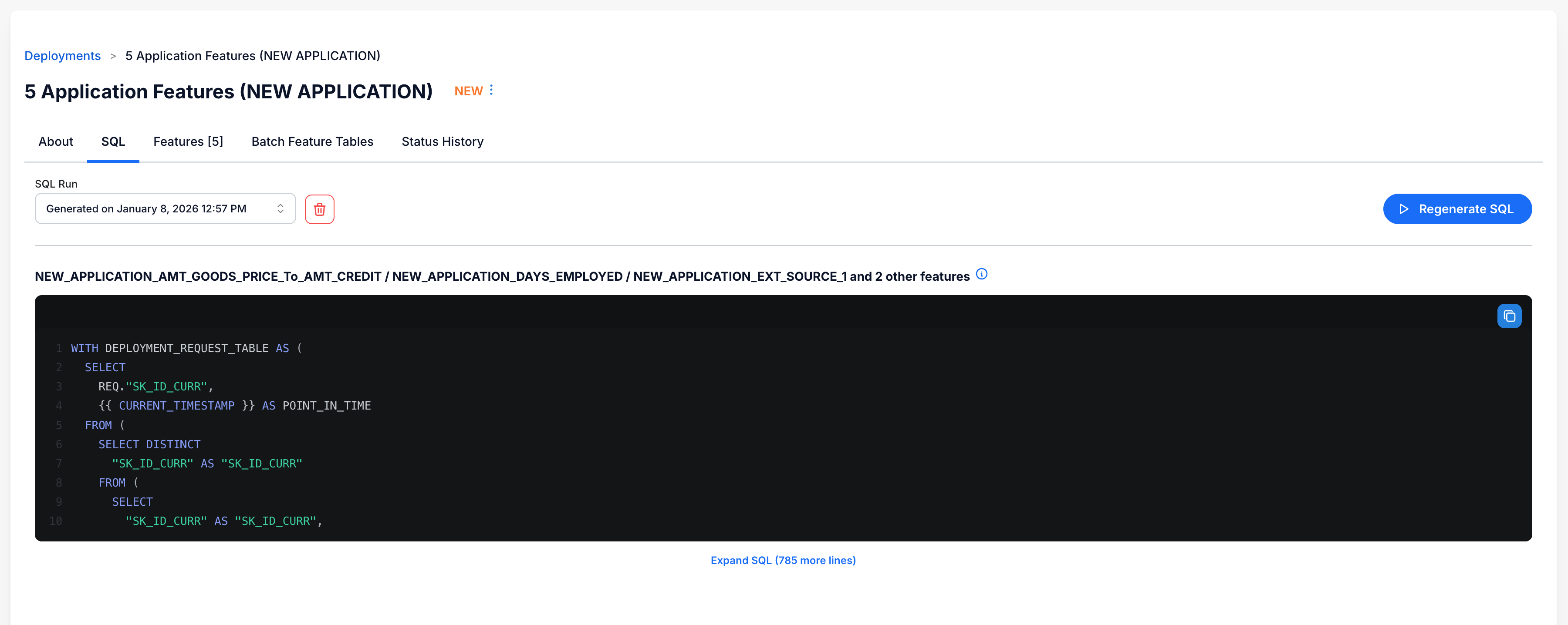
- Click the SQL tab in the deployment view
- Click Generate SQL (if the SQL hasn't been generated yet)
- FeatureByte will generate SQL containing all features in the deployment
Step 3: Copy the SQL
Once generated, you can:
- Copy the SQL directly from the UI
- Use the Regenerate SQL button to refresh the SQL if needed
Using the SQL Template
The exported SQL is a SELECT statement with placeholders like {{ CURRENT_TIMESTAMP }}. The SQL includes all features from your deployment and uses these placeholders for dynamic timestamp values.
To use this SQL in your environment, you need to fill in the placeholders and then wrap it for your specific use case:
Filling Placeholders
Replace {{ CURRENT_TIMESTAMP }} with your desired timestamp. For date strings, ensure proper casting to TIMESTAMP:
# For historical computation
sql_for_date = sql_code.replace("{{ CURRENT_TIMESTAMP }}", "CAST('2024-01-15' AS TIMESTAMP)")

# For current computation
sql_current = sql_code.replace("{{ CURRENT_TIMESTAMP }}", "CURRENT_TIMESTAMP()")
Wrapping the SQL
Create a new table when you want to store the computed features:
CREATE TABLE customer_features
USING DELTA
PARTITIONED BY (POINT_IN_TIME)
AS
SELECT ...  -- your exported SQL here
Insert into an existing table for regular batch updates:
Create a view for on-demand feature computation:
Next Steps
See Scheduling Examples for how to operationalize this SQL.